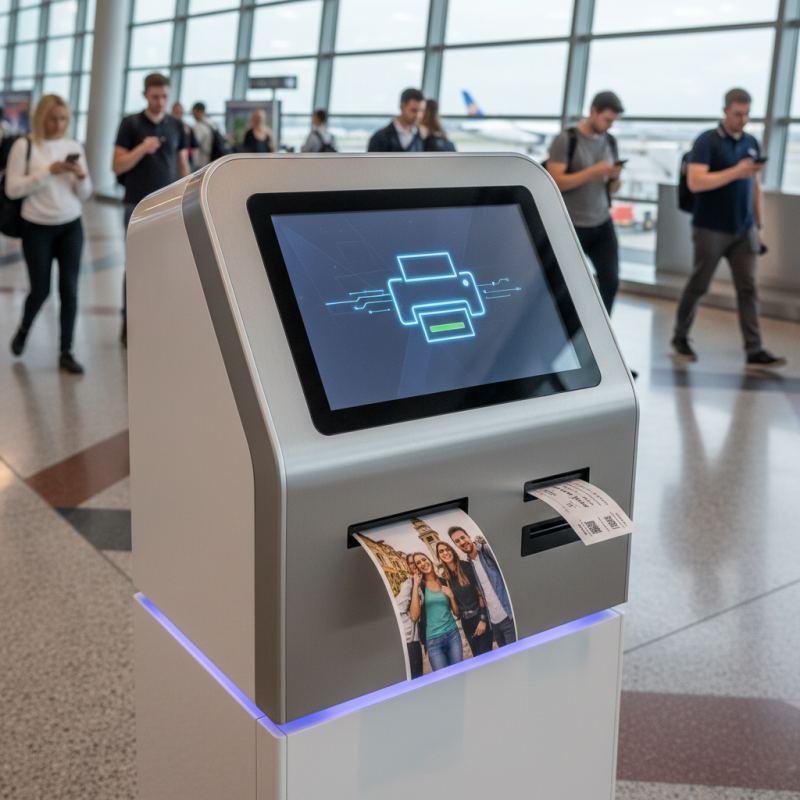
What is a Digital Kiosk Printer and How Does It Work?
Digital kiosk printers have emerged as a vital component in various industries. These machines streamline printing processes, making them efficient and user-friendly. Whether you need a quick ticket, a photo, or promotional material, a digital kiosk printer has you covered.
Typically found in malls, airports, and events, these printers are accessible to the public. Users can print their documents with ease, but some may face technical issues. The convenience of a kiosk printer can be undermined by user errors or slow processing times.
Despite these challenges, the digital kiosk printer represents innovation in our daily lives. The technology behind them continues to evolve. As we embrace this change, we must also reflect on the potential barriers that technology can create. Understanding these tools better can ensure a smoother user experience.
What is a Digital Kiosk Printer?
A digital kiosk printer is an innovative device that allows users to print documents or images immediately and easily. These kiosks are often found in public places like libraries, airports, and shopping centers. Users can access the printer using a touchscreen interface, simply by following prompts.
When using a digital kiosk printer, it’s crucial to ensure your files are in the right format. Most kiosks accept common formats like PDFs and JPEGs. However, sometimes formatting issues can arise. Always double-check your documents before printing to avoid wasted time and resources.
Tips: Look for a kiosk with clear instructions. This can save you from confusion during printing. If a machine is busy or malfunctioning, don’t hesitate to use another one.
In some cases, you may encounter delays due to high demand. Patience can be difficult, especially when in a hurry. Consider visiting during off-peak hours to minimize waiting time. Digital kiosk printers are efficient but can have their quirks. Adapting your expectations is a smart move.
What is a Digital Kiosk Printer and How Does It Work?
| Feature | Description | Applications |
| Print Quality | High-resolution output, typically 300 DPI or higher. | Event tickets, promotional flyers. |
| Speed | Fast printing, usually under a minute per page. | Customer service kiosks, retail applications. |
| Connectivity | Supports various connections like USB, Wi-Fi, and Ethernet. | Self-service kiosks, information centers. |
| Media Handling | Can handle different media types such as cardstock and glossy paper. | ID card printing, marketing materials. |
| User Interface | Touchscreen with easy navigation options for users. | Public information kiosks, event check-ins. |
Key Features of Digital Kiosk Printers
Digital kiosk printers are innovative machines designed for on-demand printing solutions. They are often used in public places like malls, airports, and hotels. These printers provide convenience to users who need to print documents, photos, or boarding passes quickly. The ease of use makes them popular in various settings.
Key features of digital kiosk printers include user-friendly interfaces and customizable options. Many have touch screens that guide users through the printing process step by step. They often accept various file formats, which adds to their flexibility. Some models allow users to edit images before printing. This feature can be incredibly useful for those who want a polished final product. However, not all kiosk printers have the same capabilities or speed, which can lead to user frustration.
Another important aspect is the connectivity options available. Most kiosks support USB drives, email printing, or direct apps from smartphones. However, connectivity issues can occasionally arise, leading to delays. People might also face challenges if the machine runs out of paper or ink. These are aspects that need more focus in improving user experience. Digital kiosks can certainly enhance printing convenience, but there’s always room for better reliability and performance.
How Digital Kiosk Printers Operate
Digital kiosk printers are innovative devices that allow users to print documents, images, or other media on demand. These printers are often found in public spaces such as malls, airports, and libraries. They provide a convenient solution for individuals who require fast printing services. Users can easily select their files, customize prints, and complete transactions with minimal assistance.
When it comes to operation, digital kiosk printers combine hardware and software technologies. Users generally start by selecting options on a user-friendly touchscreen interface. After choosing files, they may adjust settings like paper size and print quality. The kiosk then processes the request, sending data to the printer.
It's essential to note that technical glitches can occur. For instance, a user might face difficulty loading files or a printer may run out of paper unexpectedly. These hiccups can lead to frustration. Moreover, while many kiosks offer instant printing, some users might find the print quality inconsistent. It’s vital to approach these devices with realistic expectations. The aim is to streamline the printing process but not every transaction goes perfectly. It's crucial for users to remain patient and adaptable when using digital kiosk printers.
Usage of Digital Kiosk Printers by Industry
Common Applications of Digital Kiosk Printers
Digital kiosk printers have revolutionized how businesses operate within various sectors. These devices provide efficient printing solutions in locations such as retail stores, healthcare facilities, and event venues. They cater to immediate printing needs, reducing wait times and increasing customer satisfaction. According to industry reports, the global market for digital kiosk printers is expected to grow by over 6% annually, reflecting their rising popularity.
Common applications include ticket printing, photo services, and information brochures. For instance, event organizers rely on these kiosks for on-the-spot ticketing, enhancing the attendee experience. In a healthcare setting, these printers can produce patient wristbands quickly, which is vital for efficient patient management. Retailers utilize digital kiosks for printing discount vouchers, reinforcing customer loyalty while minimizing in-store congestion.
Tips: When selecting a digital kiosk printer, consider its speed and reliability. Look for devices that offer easy maintenance options. Assess the volume of prints needed to ensure you choose the right model for your demands. Some users may overlook the importance of customer support available for these printers. A good support system can mitigate downtime and increase productivity. Remember, evaluating your specific needs can lead to better decision-making for your printing solutions.
Advantages of Using Digital Kiosk Printers
Digital kiosk printers have become popular in various sectors. They offer several advantages that enhance user experience. First, these printers provide quick and reliable printing solutions. Users can print documents, photos, and tickets on demand. This immediate access saves time and increases efficiency for both businesses and customers.
The convenience of digital kiosk printers is unmatched. They can be placed in high-traffic areas, making printing accessible for everyone. This ease of use encourages more people to engage with the technology. However, some users may face a learning curve. The interface must be intuitive but could still confuse some individuals. Continuous improvement in user experience is essential.
Cost-effectiveness is another significant advantage. Digital kiosk printers often reduce operational costs for businesses. They can lower the need for staff assistance. However, maintaining these machines can still be a challenge. Regular maintenance is crucial to avoid downtime. While the advantages are clear, companies must address these potential issues for optimal use.